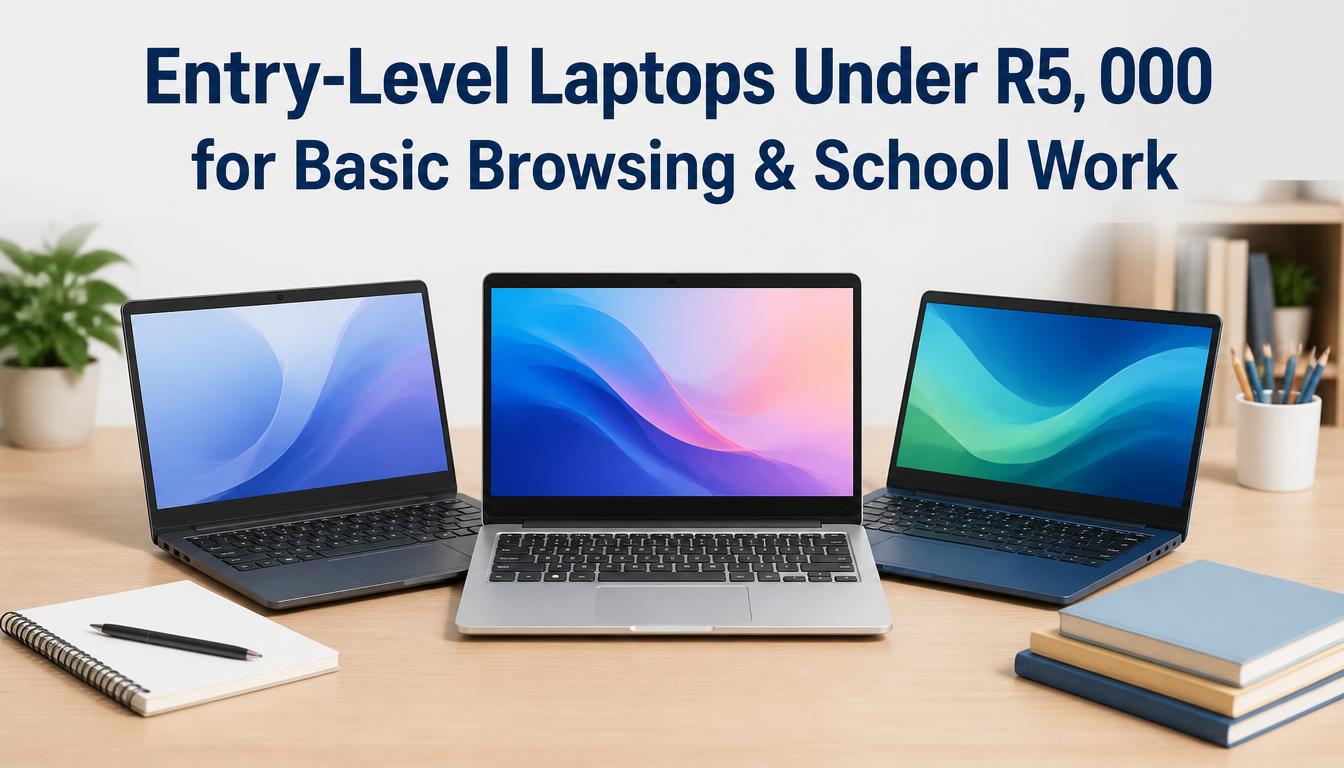
Shopping for a budget laptop in South Africa can feel like walking through a minefield. Walk into any Incredible Connection, Makro, or scroll through Takealot, and you will see dozens of sub-R5,000 machines boasting slick designs and promises of “seamless multitasking.”
As a South African tech price analyst who has spent years benchmarking budget hardware, testing battery life during stage 4 load shedding, and helping parents and students stretch every Rand, I can tell you the reality is often very different. Many sub-R5,000 laptops sold today are trap devices—equipped with non-expandable 64GB eMMC storage that fills up after two Windows updates, or 4GB of RAM that chokes the moment you open four Chrome tabs alongside Microsoft Teams.
However, if you know exactly what specifications to prioritize and where to compromise, R5,000 is still enough to get a reliable workhorse for basic web browsing, Google Workspace, Zoom/Teams calls, and school assignments.
What R5,000 Realistically Buys You in the South African Market
To set expectations honestly, a budget under R5,000 puts you firmly in the entry-level tier. You are not buying a gaming rig or a video editing workstation. You are buying a productivity appliance.
The Standard Sub-R5,000 Spec Sheet
-
Processor: Intel Celeron (N4020, N4500), Intel Processor N100 (if on special), or AMD 3020e / Athlon Silver.
-
Memory (RAM): 4GB DDR4 ( soldered in 80% of models ) or 8GB DDR4.
-
Storage: 64GB / 128GB eMMC flash memory OR 128GB / 256GB M.2 NVMe SSD.
-
Display: 11.6-inch to 15.6-inch HD (1366×768) TN panels.
-
Operating System: Windows 11 Home in S Mode, standard Windows 11 Home, or ChromeOS.
Non-Negotiable Rules When Buying a Sub-R5,000 Laptop
Before looking at specific models, memorize these four golden hardware rules. Following them will save you from buying a device that becomes useless within six months.
Rule 1: Never Buy 64GB eMMC Storage for Windows 11
eMMC storage is essentially an embedded SD card soldered onto the motherboard. It is slow and wears out faster than a true Solid State Drive (SSD). More importantly, Windows 11 requires roughly 30GB to 40GB just for operating system files and system recovery partitions. A 64GB drive leaves you with less than 20GB of usable space. After a couple of cumulative Windows updates, your drive will be 100% full, causing system freezes.
-
The Mandate: Insist on an M.2 NVMe SSD (minimum 128GB, ideally 256GB). If you must buy an eMMC model due to extreme budget constraints, ensure it has an open M.2 expansion slot inside.
Rule 2: 4GB RAM Requires Strict Management (8GB is the Holy Grail)
In 2026, web pages are heavier than ever. Opening WhatsApp Web, a PDF textbook, and three Chrome tabs will easily consume 3.5GB of RAM. If your system only has 4GB, it begins using the storage drive as virtual memory (“paging”), which slows performance to a crawl.
-
The Mandate: Look for models with 8GB RAM out of the box, or confirm that the 4GB model has a free RAM slot for a cheap R300–R400 upgrade down the line.
Rule 3: Understand the Processor Hierarchy
Not all budget chips are built equal. Here is how entry-level processors rank for real-world schoolwork and browsing:
-
Intel Processor N100 / N200 (Best): Quad-core, modern architecture, excellent battery efficiency.
-
Intel Celeron N4500 / N5100 (Good): Decent dual-core/quad-core performance for light multitasking.
-
AMD 3020e / Athlon Silver 3050U (Decent): Good integrated graphics for YouTube playback.
-
Intel Celeron N4020 (Bare Minimum): Dual-core chip that handles single tasks fine, but struggles when pushed.
Rule 4: Factor in Load Shedding & Power Surges
South African conditions require extra caution:
-
Battery Capacity: Look for at least a 38Wh or 42Wh battery to get 4 to 6 hours of document editing during power outages.
-
Surge Protection: Budget laptop power adapters are notoriously sensitive to voltage spikes when Eskom power restores. Always plug your laptop charger into a surge-protected plug adapter.
Comparison of Top Sub-R5,000 Laptop Categories in South Africa
| Laptop Category | Best Used For | Key Strengths | Main Limitations | Typical SA Retail Price |
| Budget Windows (e.g., Lenovo IdeaPad 1) | School essays, MS Office, general Web Browsing | Familiar interface, wide software support | 4GB RAM limits heavy multitasking | R4,299 – R4,999 |
| Chromebooks (e.g., Acer / ASUS Chromebook) | Google Classroom, web apps, extreme battery efficiency | Runs fast on low specs, long battery life | Cannot run native Windows (.exe) programs | R3,499 – R4,599 |
| Refurbished Business Laptops (Dell Latitude / ThinkPad) | Heavy daily typing, durable school work | Superior build quality, Core i5 processors, upgradeable | Older designs, shorter battery lifespan | R3,800 – R4,999 |
| Ultra-Budget Local Brands (Connex / Mecer) | Light browsing, basic document editing | Lowest price point, extremely lightweight | Limited build durability, slow eMMC storage | R2,799 – R3,699 |
Top Recommended Laptop Models Under R5,000 in SA
1. Lenovo IdeaPad 1 14″ / 15″ Series
The Lenovo IdeaPad 1 series remains one of South Africa’s top-selling entry-level laptops. It strikes a solid balance between build quality, keyboard comfort, and pricing.
-
Typical Specs: Intel Celeron N4020 or N4500, 4GB DDR4 RAM, 256GB SSD, 14″ or 15.6″ HD Display.
-
Estimated Price: R4,299 – R4,899 (frequently discounted on Takealot and Makro).
-
Real-World Experience: The keyboard response is tactile and comfortable for long typing sessions (great for Matric essays or university assignments). The plastic chassis feels sturdy enough for a backpack.
-
Expert Tip: Look specifically for the SKU ending with 256GB SSD rather than 128GB eMMC. The SSD variant boots Windows 11 in under 15 seconds.
2. ASUS Vivobook Go 14 (E410 / E510)
ASUS offers some of the best-looking budget machines on the market. The Vivobook Go series features lightweight designs, colorful lids, and clever trackpad features.
-
Typical Specs: Intel Celeron N4020 / N4500, 4GB RAM, 128GB eMMC or 256GB SSD, 14″ Display.
-
Estimated Price: R3,999 – R4,799.
-
Real-World Experience: Weighing just 1.3 kg, this is a very portable option. Some models include the “NumberPad”—an LED-illuminated numeric keypad built directly into the touchpad, which is useful for accounting or maths students.
-
Watch Out For: The screen brightness peaks around 200 nits. It is perfectly fine indoors, but hard to read if sitting near a bright window or outside on campus.
3. Acer Aspire 1 / Aspire 3
Acer’s entry-level Aspire range prioritizes practical connectivity and decent thermal management.
-
Typical Specs: Intel Celeron N4500 / AMD 3020e, 4GB RAM, 128GB / 256GB Storage, 14″ or 15.6″ Display.
-
Estimated Price: R4,199 – R4,999.
-
Real-World Experience: Acer laptops usually offer a generous selection of full-sized ports, including multiple USB-A ports, full-sized HDMI for plugging into school projectors, and an Ethernet port on select 15.6-inch chassis.
4. Chromebook Alternative: Acer or ASUS Chromebook 14
If your school or university relies primarily on Google Classroom, Google Docs, Gmail, and web-based tools, a Chromebook gives you vastly superior speed compared to a Windows machine at the same price point.
-
Typical Specs: Intel Celeron, 4GB RAM, 64GB eMMC, ChromeOS.
-
Estimated Price: R3,499 – R4,299.
-
Real-World Experience: Because ChromeOS is lightweight, 4GB of RAM and eMMC storage run quickly without lag. Boot times take under 8 seconds, and battery life frequently exceeds 8–10 hours on a single charge.
The Refurbished Route: The Secret Value Hack
If you want significantly more performance under R5,000, consider buying a refurbished enterprise laptop from reputable SA vendors (e.g., PC Shopper Refurbished, Universe Direct, Dell Online Certified Pre-Owned, or Incredible Connection Refurbished).
An enterprise-grade laptop that originally cost R18,000 four years ago—such as a Dell Latitude 5400, HP ProBook 440 G6, or Lenovo ThinkPad L480—can often be picked up refurbished for R3,800 to R4,800.
Comparison: Brand New Celeron vs. Refurbished Core i5
| Feature | New Celeron Laptop (R4,500) | Refurbished Core i5 Laptop (R4,500) |
| Processor | Intel Celeron N4020 (2 cores) | 8th/10th Gen Intel Core i5 (4 cores / 8 threads) |
| RAM | 4GB (often soldered) | 8GB or 16GB (fully upgradeable) |
| Storage | 128GB eMMC or 256GB SSD | 256GB or 512GB NVMe SSD |
| Build Quality | Consumer plastic | Magnesium/aluminum alloy, spill-resistant keyboard |
| Warranty | 12 Months New Manufacturer Warranty | 6 to 12 Months Supplier Warranty |
| Battery Life | Brand new battery (5–7 hours) | Used battery (3–5 hours typical) |
-
Verdict: If sheer processing performance, durability, and smooth multitasking matter most, a refurbished ThinkPad or Latitude beats any new Celeron machine. If long battery runtime and a fresh warranty are mandatory, buy new.
Essential Optimizations for Budget Windows Laptops
If you buy a Windows 11 laptop with 4GB of RAM and a Celeron processor, follow these optimization steps immediately after unboxing to ensure maximum performance:
-
Switch Out of Windows 11 S Mode (Optional but Recommended): S Mode restricts app installs strictly to the Microsoft Store. Disabling it lets you install Chrome, Brave, Zoom, and Acrobat Reader directly. Search “Switch out of S Mode” in Windows Settings.
-
Uninstall Bloatware: Remove pre-installed trial versions of antivirus software (like McAfee or Norton) which consume massive RAM background resources. Windows Defender built into Windows 11 is free, lightweight, and effective.
-
Set Chrome Performance Limits: In Google Chrome settings, turn on Memory Saver mode. This automatically freezes inactive background tabs to free up RAM for your active task.
-
Disable Unnecessary Startup Programs: Open Task Manager (
Ctrl + Shift + Esc), click the Startup Apps tab, and disable background software like OneDrive, Teams, or Spotify from auto-launching when you boot up.
Where to Buy & How to Avoid Common Rip-Offs
When shopping in South Africa, price fluctuations are frequent. Keep these retailer tips in mind:
-
Takealot: Excellent daily deals and bundle offers (often includes a laptop bag or wired mouse). Check seller ratings and verify storage type (SSD vs eMMC) in the technical specification tab before checking out.
-
Makro / Game (Massmart): Great place for physical inspection. Compare in-store promotional flyers with online pricing, as back-to-school catalog sales often drop prices by R500–R800.
-
Incredible Connection: Useful for warranty service accessibility, but standard retail prices can be higher. Look for their seasonal clearance sales.
-
Specialist Tech Stores (Evetech, Wootware, FirstShop): Excellent pricing on budget machines, often listing accurate component breakdowns.
Help Us Beat the AI Bots: What’s Your Real-World Experience?
Search engines and AI overviews often push spec lists without knowing what happens when you actually use these machines day-to-day during load shedding or university exam prep.
Let’s start a discussion below:
-
Are you currently using a Celeron or AMD budget laptop for school or work? How does it perform with your daily tasks?
-
Have you bought a refurbished ThinkPad or Latitude locally in South Africa, and was it worth skipping a brand-new machine?
Share your questions, model recommendations, or pricing finds in the comments section below to help other South African buyers make an informed choice!

Joseph Mathebula is a consumer analyst and market researcher at Prices in South Africa. He specializes in tracking local service costs, retail pricing, and travel budgets, helping everyday shoppers navigate the market to secure the best value.