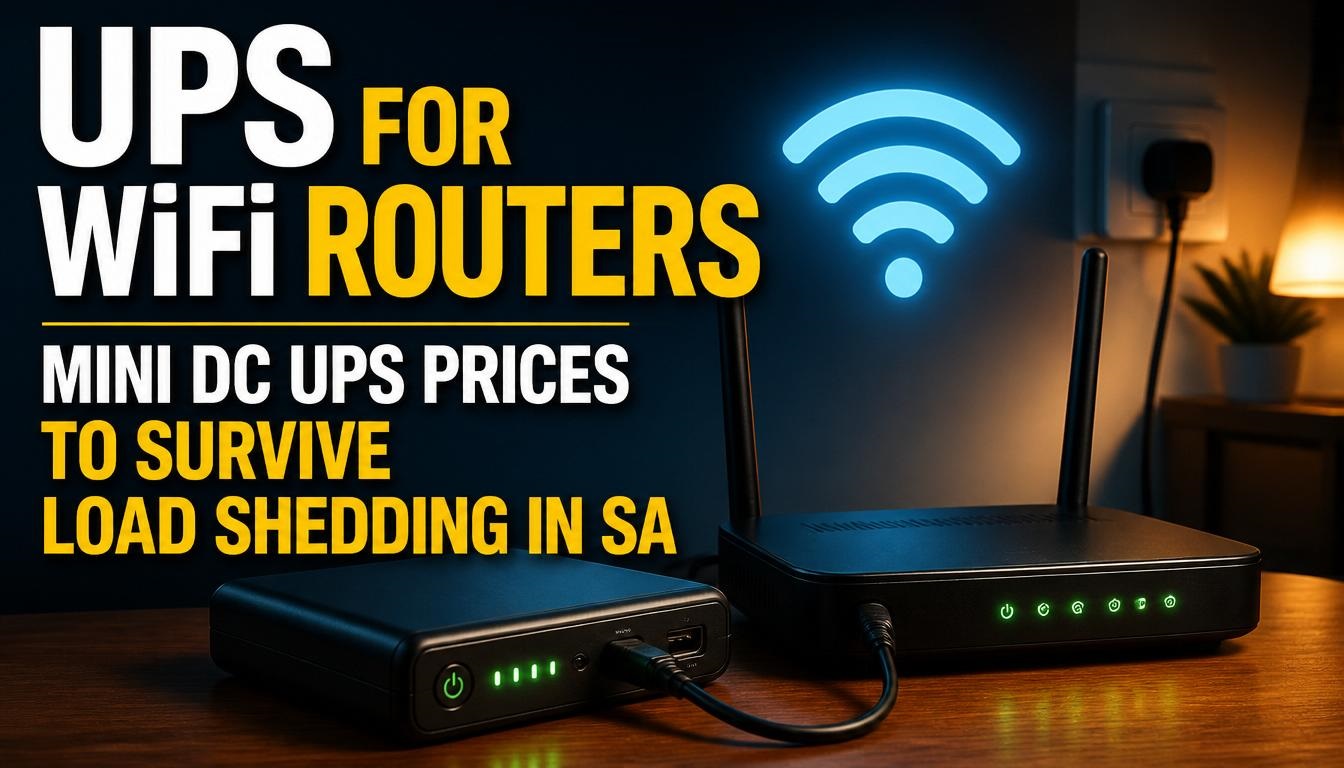
If you live in South Africa, you know the drill all too well. It is 8:00 PM, you are halfway through an important virtual meeting with overseas clients, or perhaps you are finally sitting down to stream the latest episode of your favorite series. Suddenly, you hear the ominous click of the main switchboard. The lights vanish. Eskom has struck again. But for most of us, the temporary darkness is not the most frustrating part—it is the sudden, deafening silence of your WiFi network dropping dead.
In the modern era of remote work, smart homes, and digital entertainment, losing your internet connection is a major disruption. Over the past few years, as we have navigated everything from Stage 2 to the dreaded Stage 6 load shedding, South Africans have had to become makeshift electrical engineers just to keep their lives running. As a local tech specialist who has designed, tested, and troubleshot hundreds of home network backup systems across Johannesburg, Cape Town, and Durban, I have seen it all. I have watched people spend thousands of Rands on massive, noisy inverter trolleys just to power a tiny 15-watt router, or worse, buy standard computer UPS systems that beep incessantly and die after a mere 45 minutes.
The true hero of the South African networking survival kit is the Mini DC UPS. It is silent, incredibly power-efficient, fits into the palm of your hand, and is purpose-built to do exactly one thing: keep your internet on when the grid goes down.
In this comprehensive 2026 guide, we are going to dive deep into everything you need to know about choosing, pricing, and setting up a Mini DC UPS for your WiFi router. We will look at real-world data, the latest battery chemistries, exact current prices, and the critical setup mistakes that could end up frying your expensive networking gear.
Quick Answer: What is the Best Mini DC UPS for a WiFi Router in SA?
If you are in a rush and just want the expert consensus for 2026, here is the direct answer to get your internet loadshedding-proof immediately:
For the vast majority of South African homes with a standard Fibre connection, the best overall Mini DC UPS is the Gizzu Surf Simple 55Wh LiFePO4 Mini DC UPS or the Gizzu 60W 65Wh Mini POE DC UPS.
-
Average 2026 Price: Between R469 and R1,049 depending on capacity and retailer.
-
Why them? They utilize upgraded battery chemistries (like LiFePO4) that can handle thousands of charge cycles without degrading, ensuring they survive daily Stage 4 or Stage 6 schedules.
-
Key Advantage: Unlike traditional computer UPS systems that waste up to 30% of their battery converting DC power to AC and back to DC, a Mini DC UPS feeds direct current straight to your router, easily providing 5 to 10 hours of uninterrupted internet runtime.
Why Traditional AC UPS Systems Fail for WiFi Routers
Before we look at the specific Mini DC models, it is crucial to understand why that old, heavy black block sitting under your desk (the traditional AC UPS) is a terrible choice for a WiFi router.
A traditional UPS (Uninterruptible Power Supply) is designed for desktop computers. Its internal battery stores Direct Current (DC) power. When the grid drops, the UPS uses an internal inverter to convert that DC battery power into 220V Alternating Current (AC)—the standard wall plug power. You plug your router’s power brick into this UPS. What does the router’s power brick do? It takes that 220V AC power and converts it right back into 12V DC power to feed the router.
This double conversion process (DC to AC, and back to DC) is astonishingly inefficient. You lose approximately 20% to 30% of your total battery capacity just to heat loss during these conversions. Furthermore, traditional line-interactive AC UPS units use Lead-Acid batteries. Lead-acid batteries hate being drained deeply and they take 6 to 8 hours to recharge. During Stage 4 loadshedding, when the power is only back on for two hours at a time, a lead-acid battery never fully recharges. Within three months, the battery is completely permanently degraded, and your runtime drops from two hours to ten minutes.
A Mini DC UPS changes the game. It skips the conversions entirely. It stores DC power in advanced lithium battery cells and outputs that exact same DC power straight into your router. It is near 100% efficient, recharges rapidly, and runs completely silently without that maddening continuous beep.
Understanding Your Home Network: Router vs. Fibre ONT
The most common mistake I see South Africans make when buying backup power is forgetting how Fibre internet actually works. If you have Fibre, your internet relies on two separate devices, and both must be powered to get a connection.
-
The Fibre ONT / CPE: This is the small box permanently mounted to your wall. It is installed by your Fibre Network Operator (FNO) such as Vumatel, Openserve, MetroFibre, Frogfoot, or Octotel. This box takes the physical glass fibre optic cable from the street and translates the light signals into digital data.
-
The WiFi Router: This is the device with the antennas (often made by TP-Link, Huawei, D-Link, or ASUS) that you plug into the ONT. It broadcasts the WiFi signal throughout your house.
If you only plug your WiFi router into the UPS, your phone will show a strong WiFi connection, but it will say “No Internet Access” because the box on the wall is dead. You have to power both.
Thankfully, almost all Mini DC UPS units sold in South Africa today come with a “Y-splitter” cable. This single cable plugs into the back of the UPS and splits into two ends, allowing you to power both your Fibre ONT and your WiFi Router simultaneously from one backup device.
The Technical Deep Dive: Voltage, Amps, and Watt-Hours
To ensure you don’t damage your equipment and get enough runtime to survive a four-hour outage, you need to understand three basic electrical metrics. Do not skip this section—getting this wrong is the number one reason routers get fried.
Voltage (V) – The Device Killer
Voltage is like water pressure in a pipe. It must match exactly. Pick up your WiFi router and look at the sticker underneath it. Look for the “Input” line. It will usually say something like 12V – 1.5A or 9V – 1A.
You must ensure your Mini DC UPS outputs the exact same voltage as your device requires. The vast majority of networking gear in SA runs on 12V. However, some older ONTs or specific router models run on 9V. If you feed 12V from your UPS into a 9V router, the excessive “pressure” will overload the circuits, let the magic blue smoke out, and instantly destroy your router. Many Mini DC UPS units have a selector switch (9V/12V). Always set this switch correctly before plugging the cable into your router.
Amperage (A) – The Power Draw
If voltage is pressure, amperage is the volume of water flowing. Your device will only draw as many Amps as it needs. If your router says it requires 1.0A, and your UPS can provide up to 2.0A, that is perfectly fine. The router will simply sip the 1.0A it requires. The rule here is that your UPS output Amperage must be equal to or greater than your device’s requirement.
Watt-Hours (Wh) vs. mAh – The Truth About Capacity
For years, manufacturers marketed backup batteries using “mAh” (milliamp-hours). You will see units advertised as “10,400mAh” or “17,600mAh”. However, mAh is a completely meaningless metric unless you also know the internal voltage of the battery cells.
The globally recognized, accurate metric for total battery capacity is Watt-Hours (Wh). It tells you exactly how much energy is in the tank.
To calculate runtime, you simply take the Watt-Hours of the UPS and divide it by the total Watts your devices consume. For example:
-
A Fibre ONT usually uses about 3 Watts.
-
A standard WiFi router uses about 7 Watts.
-
Total power draw = 10 Watts.
-
If you buy a 65Wh Mini DC UPS, it will power that setup for roughly 6.5 hours (65 / 10).
When shopping, always look for the Wh rating. A 55Wh or 65Wh unit is excellent for South African conditions.
The Battery Chemistry Revolution: Li-Ion vs. LiFePO4
If there is one massive technological shift that has occurred in the SA backup power market between 2023 and 2026, it is the move away from standard Lithium-Ion (Li-Ion) toward Lithium Iron Phosphate (LiFePO4).
Lithium-Ion (Li-Ion):
This is the same battery chemistry used in your smartphone. It is lightweight and energy-dense. However, Li-Ion batteries are typically rated for 300 to 500 charge cycles before their total capacity degrades to 80% of what it originally was. If we only had loadshedding occasionally, this would last years. But during heavy Stage 4 or Stage 6 schedules, you might cycle the battery two or three times a day. At that rate, a Li-Ion UPS will start losing its runtime capacity within a year.
Lithium Iron Phosphate (LiFePO4):
This is the chemistry used in high-end home solar batteries and modern electric vehicles. LiFePO4 is slightly heavier, but it is incredibly robust. It is generally rated for 2,000 to 3,000 charge cycles. A LiFePO4 Mini DC UPS can endure daily Stage 6 loadshedding for 5 to 7 years without showing significant degradation. Furthermore, it is thermally stable, meaning it is far less likely to overheat.
If you are buying a Mini DC UPS in 2026, I strongly recommend spending the extra R100 to R200 to secure a unit with LiFePO4 technology.
Best Mini DC UPS for WiFi Routers in South Africa (2026 Guide & Prices)
Having tested a multitude of brands supplied by Takealot, Evetech, Makro, and boutique networking stores, here are the standout units dominating the South African market right now based on reliability, real-world runtime, and value for money.
1. Gizzu Surf Simple 55Wh LiFePO4 Mini DC UPS (The Smart Buyer’s Choice)
Gizzu has cornered the SA market by providing highly reliable, well-packaged backup power. The Surf Simple model is arguably the most sensible purchase for a standard home in 2026. Because it uses LiFePO4 battery chemistry, it outlasts standard power banks by years. With a 55Wh capacity, it comfortably provides over 5 hours of runtime for a standard dual-device setup (ONT + Router). It also features 744 Joules of surge protection, which is vital because the surge that hits the grid when Eskom restores power is notorious for destroying electronics.
-
Average 2026 Price: R469 to R550
2. Gizzu 60W 65Wh Mini POE DC UPS (The Powerhouse)
If you run a more complex home network, perhaps featuring an advanced dual-band gaming router, a home security camera system, or a VoIP telephone, you need more grunt. This 60W unit provides a massive 65Wh capacity (17,600mAh internal). Crucially, it includes a Power over Ethernet (PoE) port. Many South Africans in rural or semi-urban areas use Wireless Internet Service Providers (WISPs) where internet comes from a dish on the roof. That dish requires power sent up the ethernet cable (PoE). This Gizzu model handles that flawlessly.
-
Average 2026 Price: R999 to R1,049
3. Elecstor 60W Mini DC UPS (The Budget Contender)
Elecstor provides heavy competition to Gizzu, particularly in the PC enthusiast space (often featured on sites like Evetech). Their 60W unit is highly capable and often goes on clearance or special. It is an excellent plug-and-play solution that comes with all necessary splitter cables. While it mostly utilizes standard Li-Ion chemistry, the aggressive pricing makes it incredibly attractive if you are equipping multiple rooms or offices on a budget.
-
Average 2026 Price: R399 to R599
Vizia has built a solid reputation in the premium backup segment. Their 5-24V Mini DC backup unit provides exceptional build quality, excellent thermal management (meaning the battery cells stay cool), and intelligent over-charge/over-discharge circuitry. The components used internally are high-end, which justifies the slightly higher price point. It can seamlessly power three devices for up to 4 hours without breaking a sweat.
-
Average 2026 Price: R1,499
5. UltraLAN Micro UPS 17W (The Legacy Reliable)
UltraLAN was one of the first brands to introduce the micro UPS concept to South Africa years ago. Their 17W 8.8Ah model might seem slightly underpowered compared to the newer 60W giants, but it remains a staple for single-device setups. If you only need to power a standalone 4G/LTE router (like a Huawei B-series) and don’t have a separate Fibre ONT, the UltraLAN is compact, reliable, and incredibly cheap.
-
Average 2026 Price: R499 to R599
2026 Mini DC UPS Price Comparison Table
To make your buying decision easier, here is a breakdown of the top recommended units, their true capacities, and their current market prices in ZAR.
| Brand & Model | Total Capacity | Battery Chemistry | Standout Feature | Avg 2026 Price (ZAR) |
| Gizzu Surf Simple 55Wh | 55Wh | LiFePO4 | Extreme lifespan, Surge Protection | R469 – R550 |
| Elecstor 60W Mini DC | ~40Wh – 65Wh | Li-Ion | High wattage output on a budget | R399 – R599 |
| Gizzu 60W Mini POE | 65Wh (17600mAh) | Li-Ion / LiFePO4 var. | Gigabit PoE port, Solar-ready | R999 – R1,049 |
| UltraLAN Micro 17W | ~32Wh (8.8Ah) | Li-Ion | Tiny footprint, proven reliability | R499 – R599 |
| Vizia 57,000mWh UPS | 57Wh | Premium Li-Ion | Advanced over-charge circuitry | R1,499 |
Market Warning: Prices in South Africa fluctuate rapidly based on the current load shedding stages. When Eskom announces an escalation to Stage 6, retailers frequently experience stock shortages and prices can jump by 15% to 20% overnight. It is always best to purchase your backup solutions during stable grid periods.
Expert Setup Guide: Avoiding Costly Mistakes
Buying the right unit is only half the battle. Over the years, I have responded to frantic calls from friends and clients whose internet suddenly stopped working despite having a fully charged UPS. Here are the crucial expert tips to ensure your setup runs flawlessly.
Tape Down the Voltage Switch
As mentioned earlier, setting a UPS to output 12V when your router only takes 9V is a fatal error. Many UPS models have a physical sliding switch to select the voltage. I highly recommend using a piece of strong electrical tape to tape this switch down once you have set it correctly. All it takes is a domestic worker dusting the shelf, or a curious child poking the device, to slide that switch from 9V to 12V. By taping it, you physically prevent an accidental voltage surge that will destroy your networking gear.
The Heat Death of Lithium Batteries
Lithium batteries have one mortal enemy: heat. A router running at full capacity generates a fair amount of heat. The UPS itself generates heat while charging. If you stack your router directly on top of your Mini DC UPS and shove them both into a small, unventilated cupboard in the hallway, you are drastically reducing the lifespan of your battery. Ensure the UPS is placed on a hard, flat surface (not a carpet, which acts as an insulator) in an open area where air can circulate.
Don’t Use the USB Port for Your Phone
Almost all Mini DC UPS models come with a 5V USB output port. It is incredibly tempting during a blackout to plug your iPhone or Samsung into that port for a quick charge. Avoid doing this. A modern smartphone battery is massive. When you plug it in, the phone demands maximum power to fast-charge, rapidly draining the Watt-Hours out of the UPS. You will likely drain your router’s 6-hour backup supply in less than 90 minutes just to get 30% battery back on your phone. Buy a separate, dedicated power bank for your mobile devices and leave the Mini UPS dedicated entirely to network infrastructure.
Ensure the Splitter Cable Polarity is Correct
Networking equipment uses DC barrel jacks. These jacks have an inner pin and an outer sleeve. In almost all standard consumer networking gear, the inner pin is Positive (+) and the outer sleeve is Negative (-). The cables provided with premium brands like Gizzu and Elecstor are wired correctly out of the box. However, if you ever lose the cable and buy a generic replacement from a local electronics bazaar, ensure the polarity matches. Reversing the polarity can short-circuit the motherboard of your expensive WiFi router.
Conclusion: Taking Back Your Internet
Load shedding is a uniquely South African challenge, but it does not mean you have to accept constant disruptions to your digital life. The transition from bulky, inefficient lead-acid AC inverters to smart, highly efficient Mini DC UPS units has been a massive quality-of-life upgrade for home networks.
By understanding the power requirements of your specific Fibre ONT and WiFi router, opting for durable LiFePO4 battery chemistry where possible, and setting the correct voltage, you can essentially make load shedding a non-event for your home connectivity. For an investment of less than R600, you can secure seamless, silent, and automatic internet uptime, allowing you to finish that work presentation or stream that movie without ever noticing that the lights have gone off.
Over to You: What is Your Load Shedding Setup?
We have covered the best gear for 2026, but every home network is uniquely challenging.
I want to hear from you in the comments below: What specific WiFi router are you currently running, and which Mini DC UPS are you using to keep it alive? Have you ever experienced the dreaded 9V/12V switch disaster, or found a setup that consistently survives Stage 6? Drop your experiences and questions in the comments below, and I’ll jump in to offer troubleshooting advice and setup tips!

Joseph Mathebula is a consumer analyst and market researcher at Prices in South Africa. He specializes in tracking local service costs, retail pricing, and travel budgets, helping everyday shoppers navigate the market to secure the best value.